

The Job Retention Scheme Portal went live on 20th April 2020. Below is our step by step guide on how to complete Job Retention Scheme Portal and claim the grant available.
Time needed: 20 minutes
Follow our step by step guide on completing the Job Retention Scheme claim through the HMRC portal and claiming the grant. Please complete this document in advance of starting the claim – Job Retention Scheme Grant Claim Form.
To assist with the Job Retention Scheme Calculation use this calculator provided by HMRC.
- Go to the HMRC Website
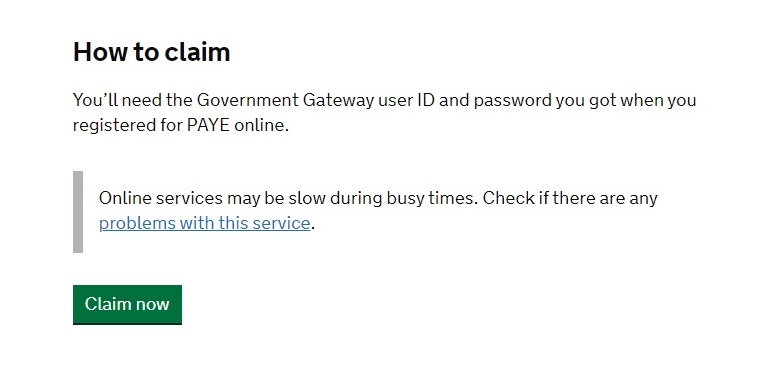
To start the claim go to the HMRC Job Retention Scheme Portal and scroll down to the bottom of the page and select Claim Now.

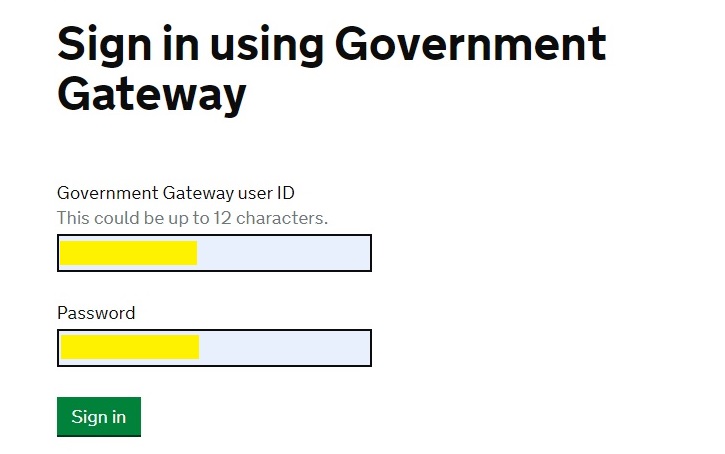
- Government Gateway
Enter your login details and password for your business select Sign in. Your business account will need to have access to your PAYE online account.
- Job Retention Scheme Portal Guidelines
Read the information provided and then select Accept and Continue.
- Furloughed Employees
Confirm that employees have been furloughed by selecting Yes and then select Continue.
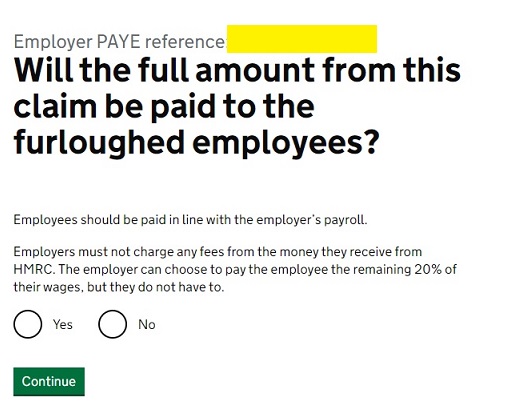
- Furloughed Employees Paid
Confirm that the claim amount is to support your employer payroll. Select Yes and Continue.
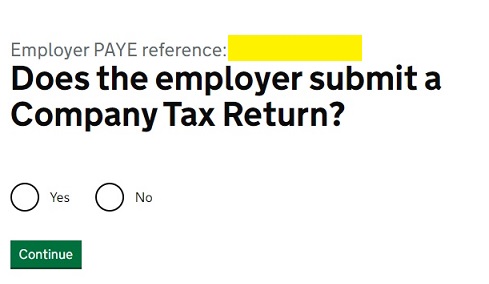
- Company Tax Return Submitted
Our claim was on behalf of a Limited company so this question may be different if you are submitting on behalf of a Soletrader or Partnership.
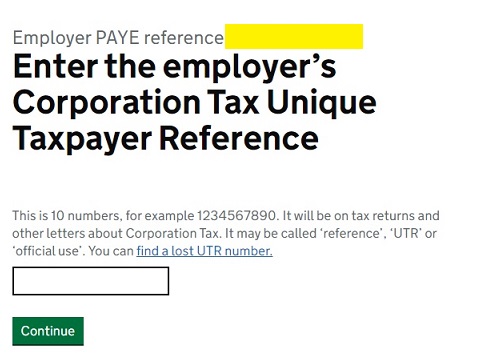
- Company UTR
Enter the Company UTR. Our claim was on behalf of a Limited company. Different business types will be required to complete the UTR for their business.
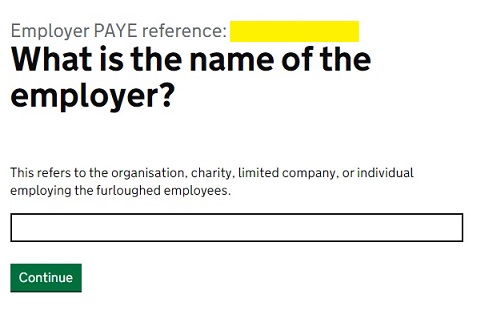
- Name of Employer
Enter the Company Name and select Continue. Our claim was on behalf of a client who is a Limited company. This question may differ if submitting for your own business and not as an agent.
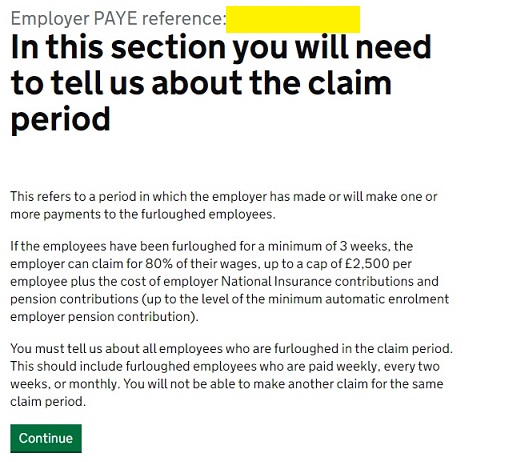
- General Information on the Job Retention Scheme
This step provides general information about the next stage of the claim.
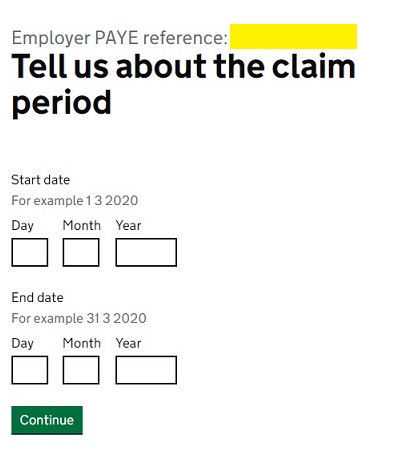
- Job Retention Scheme Claim Period
Enter the start and end dates relating to this claim period. As at 20th April 2020, we have claimed for periods up to 30th April 2020.
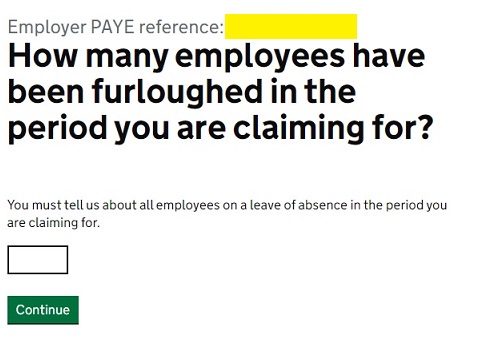
- Number of Furloughed Employees
Enter the number of furloughed employees that you wish to claim for.
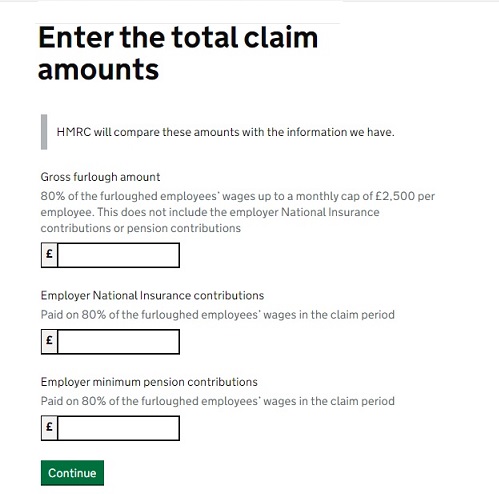
- Amounts to Claim
Enter the Job Retention Scheme claim amounts for Gross pay, Employer NI and Employer Pension. Please note that you aren’t required to provide any calculations for this submission. However you must have the calculations and retain them as part of your records.
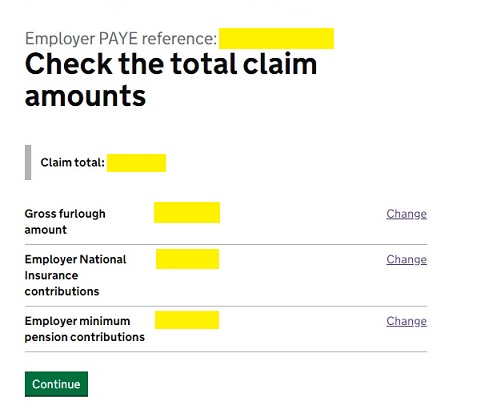
- Job Retention Scheme Total Claimed
Check the total claimed is correct and select Continue.
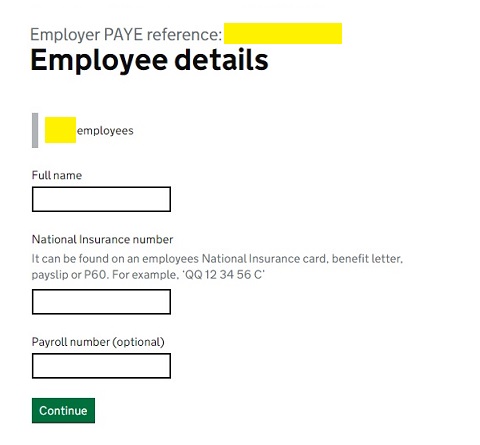
- Employee Details
Enter the first employee details, including name and NI number. After selecting Continue, a new screen will be displayed for the second employee and so on.
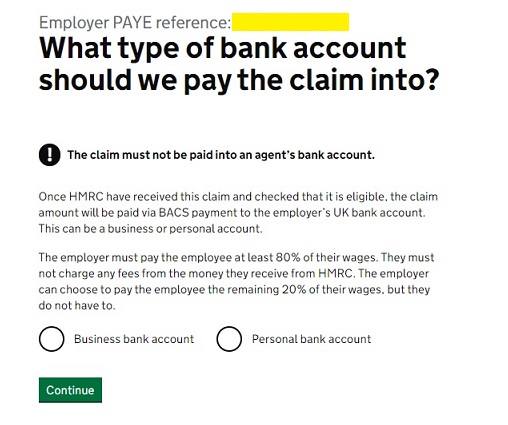
- Bank Account Type
Enter the type of bank account either Company or Personal. We claimed as an agent for our client so this screen may be different when claiming for your own business.
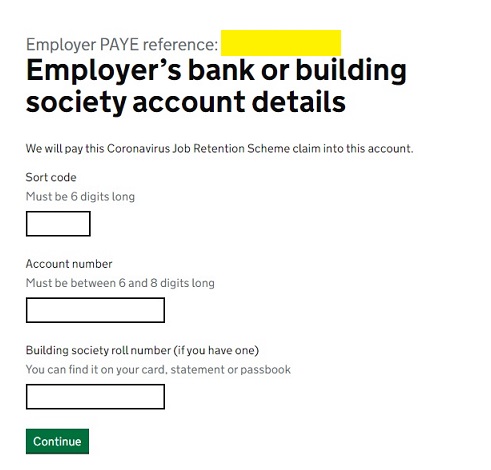
- Bank Account Details
Enter the Bank Account details including Sort Code and Account Number.
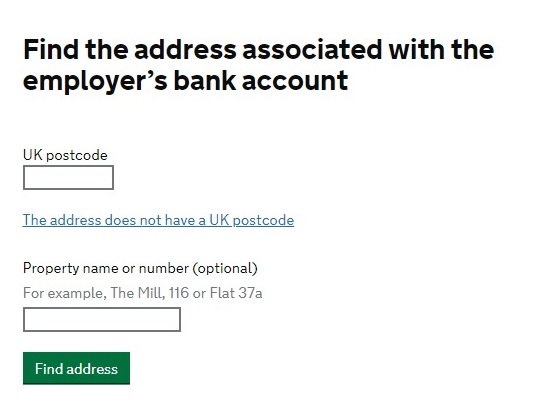
- Business Address
Enter the business post code and select find address. After selecting the address from the drop down select Continue.
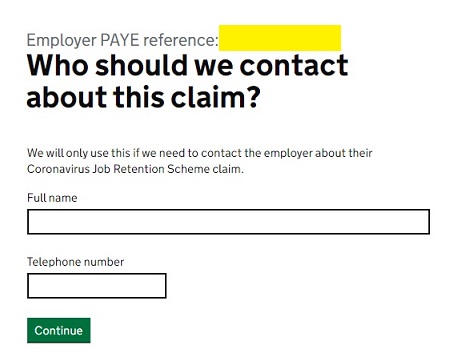
- Contact Details
Enter your details including name and telephone so HMRC can contact you about your Job Retention Scheme claim.
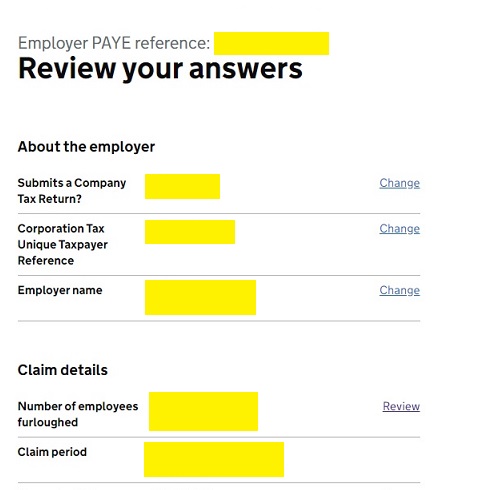
- Review Your Answers
Go through the answers and check they are correct.
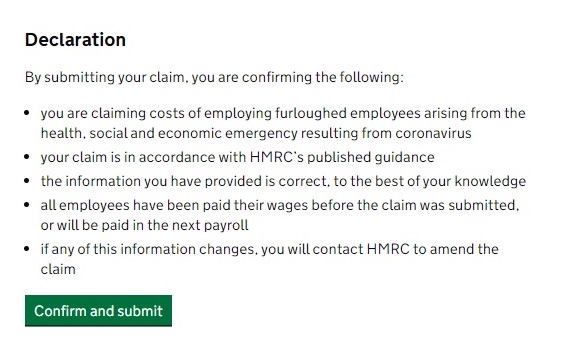
- Complete Declaration
After completing the review scroll to the bottom and submit the document.
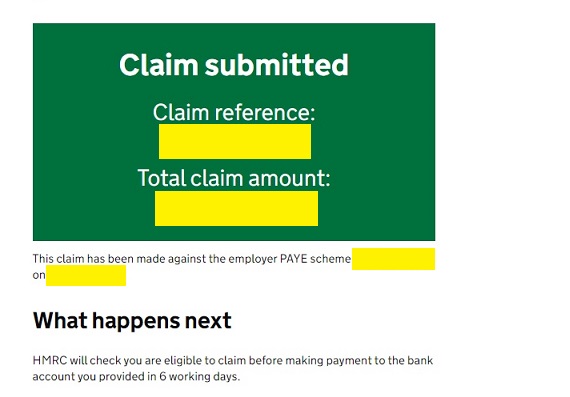
- Job Retention Scheme Claim Submitted
You will receive a claim reference. Keep this safe.
- Job Retention Scheme Grant Claim Completed
This concludes the grant claim. HMRC have stated that applications made prior to 22nd April 2020 will be received in the employers bank account in April 2020. Applications submitted after this date should be received in May 2020 approximately 6 days after submission.


DISCLAIMER – Please note that the content contained in this article is for general information only and is not a substitute for professional advice – read our full disclaimer